Otter.ai Review: Is It Still the Best Speech to Text Tool?
Open your calendar, and you’ll find back to back cross border meetings. Check your folder, and there are interview recordings in Chinese, Japanese, and English. Scroll through your bookmarks, and they’re filled with unorganized podcast links. This is the daily reality for professionals in 2026.
A few years ago, Otter.ai became a lifesaver for countless workers with its precise English meeting transcription. Its real-time dictation and auto-join meeting features once defined the industry standard for speech to text.
But technological iteration never stops. In 2026, AI large models have deeply integrated with Automatic Speech Recognition (ASR) and Natural Language Processing (NLP) technologies. Industry competition has evolved from a simple "transcription accuracy" contest to a comprehensive battle of "full-scene semantic understanding, workflow deep integration, and knowledge systemization." Today, can Otter.ai’s proud advantages still handle complex workflows? Who can fill the unmet needs it overlooks?
With these questions, I conducted an in-depth test of two leading AI-powered audio transcription tools to find the answer that truly fits 2026’s work scenarios.
Otter.ai Today: Great for Meetings, But Still Limited
There’s no denying that Otter.ai still performs admirably in its niche and has rolled out key feature updates in 2026. For teams with specific use cases, its core strengths remain competitive in the speech to text landscape.
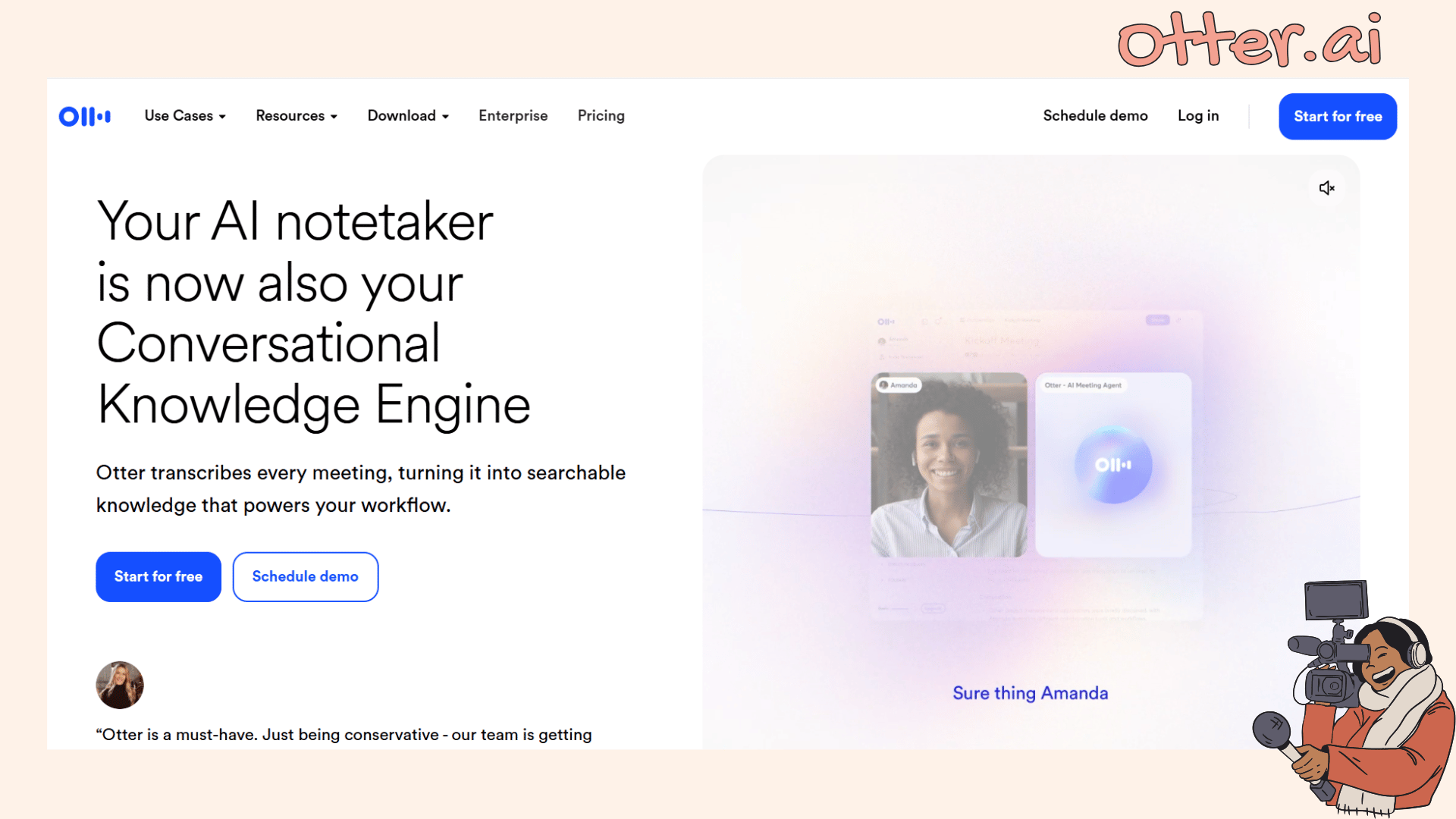
The meeting ecosystem closed loop of OtterPilot is still a must-have for professionals. By linking your calendar in advance, it can automatically join Zoom, Google Meet, or Microsoft Teams meetings. Even if you’re half an hour late due to traffic, opening the app gives you a complete transcript. It can even automatically extract Action Items.
However, limitations persist in practical use. If the meeting host enables the waiting room but fails to admit it in time, OtterPilot will leave automatically after 12 minutes. If the host disables recording permissions, it can’t function properly. This high reliance on meeting settings makes its "auto-join" feature less flexible at times.
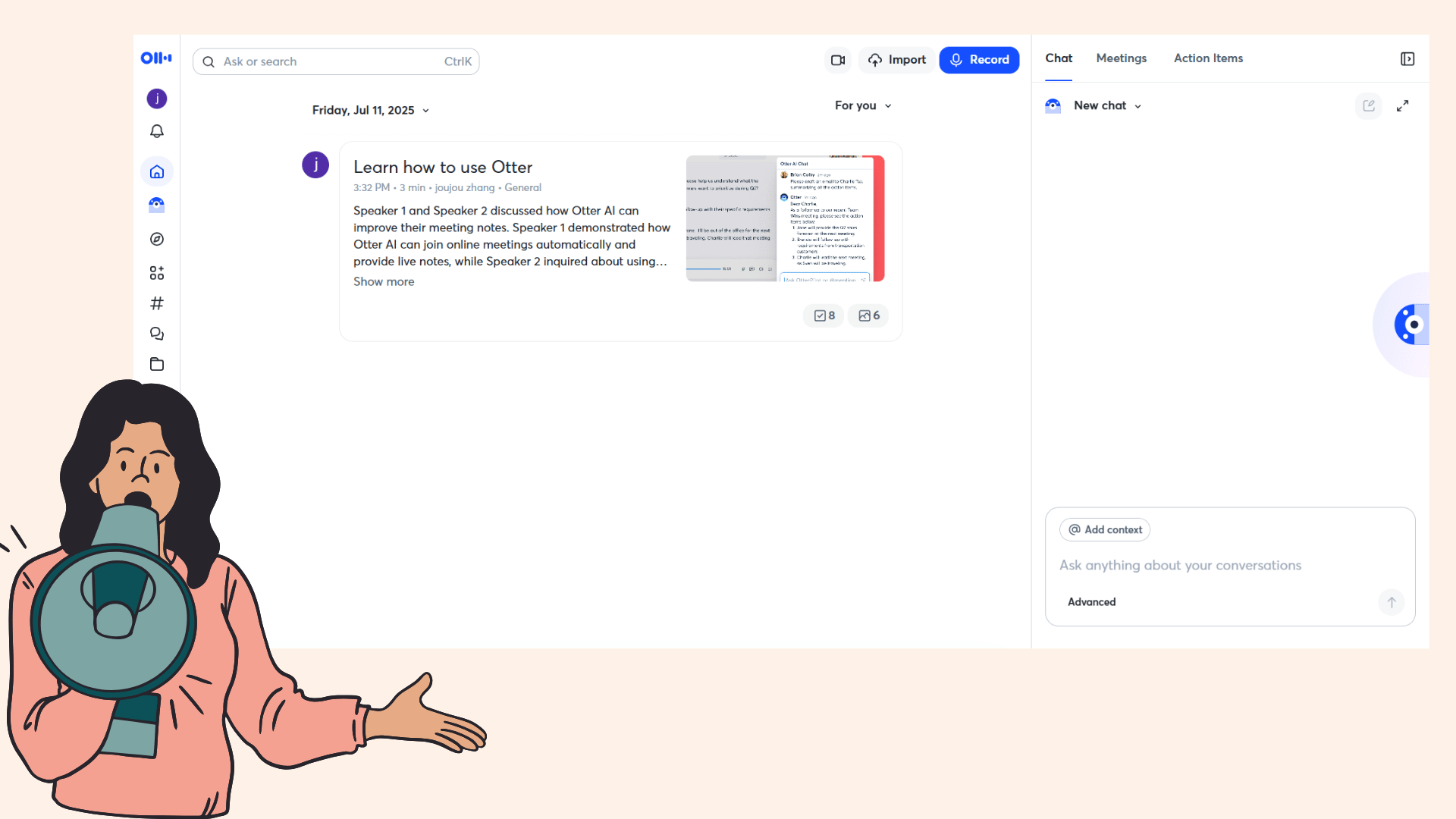
In terms of language support, Otter.ai has finally broken its long-standing monolingual limitation. In March 2026, it officially launched Japanese support, its AI meeting assistant can recognize Japanese conversations and complete transcription and summarization, allowing Japanese enterprises to import directly without additional translation tools.
But it’s worth noting that its multilingual support is still incomplete. Currently, it only covers English and Japanese, with Chinese and other major languages not yet included. For English real-time transcription, it maintains a high standard: the accuracy rate for standard American/British English is close to professional levels, with transcription speed almost synchronized with speech.
Team members can also highlight text and add comments in real time, delivering a smooth collaborative experience. Yet in multilingual mixed scenarios, its performance remains lackluster, this has become a boundary it struggles to break.
Shortcomings of Otter.ai: Unresolved Pain Points in 2026
Even after functional iterations, Otter.ai’s core limitations remain unaddressed. For users with diverse needs, these shortcomings are still barriers to productivity.
Incomplete Multilingual Support
The 2026 workplace is already a multilingual battlefield. While Otter.ai added Japanese support, it still lacks coverage for Chinese, Korean, and other major languages. I tested it with a product launch recording mixed with Chinese and English, and the Chinese recognition accuracy was less than 50%.
For cross border teams, content creators, or language learners who need to process multilingual materials, this limited multilingual support is equivalent to a "semi-functional" tool, unable to meet the core needs of global collaboration.
Closed Input Methods
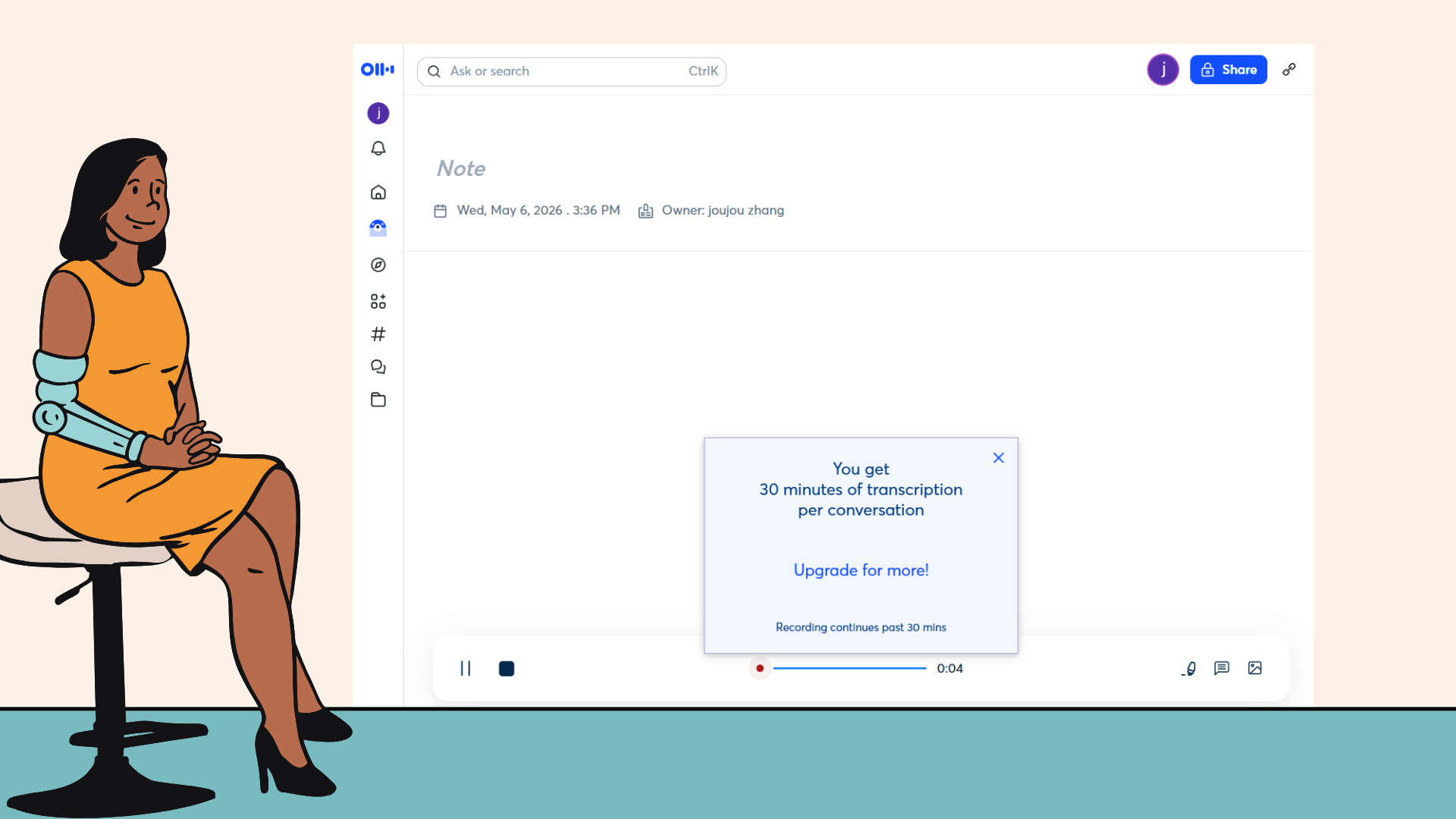
Otter.ai still leans toward "on site recording" and has poor compatibility with existing audio materials. The free and basic paid plans impose strict restrictions on the size and format of uploaded files, and do not support direct URL import.
This means if you want to organize educational videos or podcasts from YouTube, you still need to download the files first and then compress them. The cumbersome process is discouraging, running counter to the 2026 industry trend of "seamless access to full-scene materials."
Restrictive Pricing Structure
Otter.ai's 2026 pricing structure is supported by official listings and third party verification, with core plans detailed as follows:
Basic Plan: Free. 300 minutes of transcription per month, 30-minute limit per recording, English-only support, and a lifetime cap of 3 file imports.
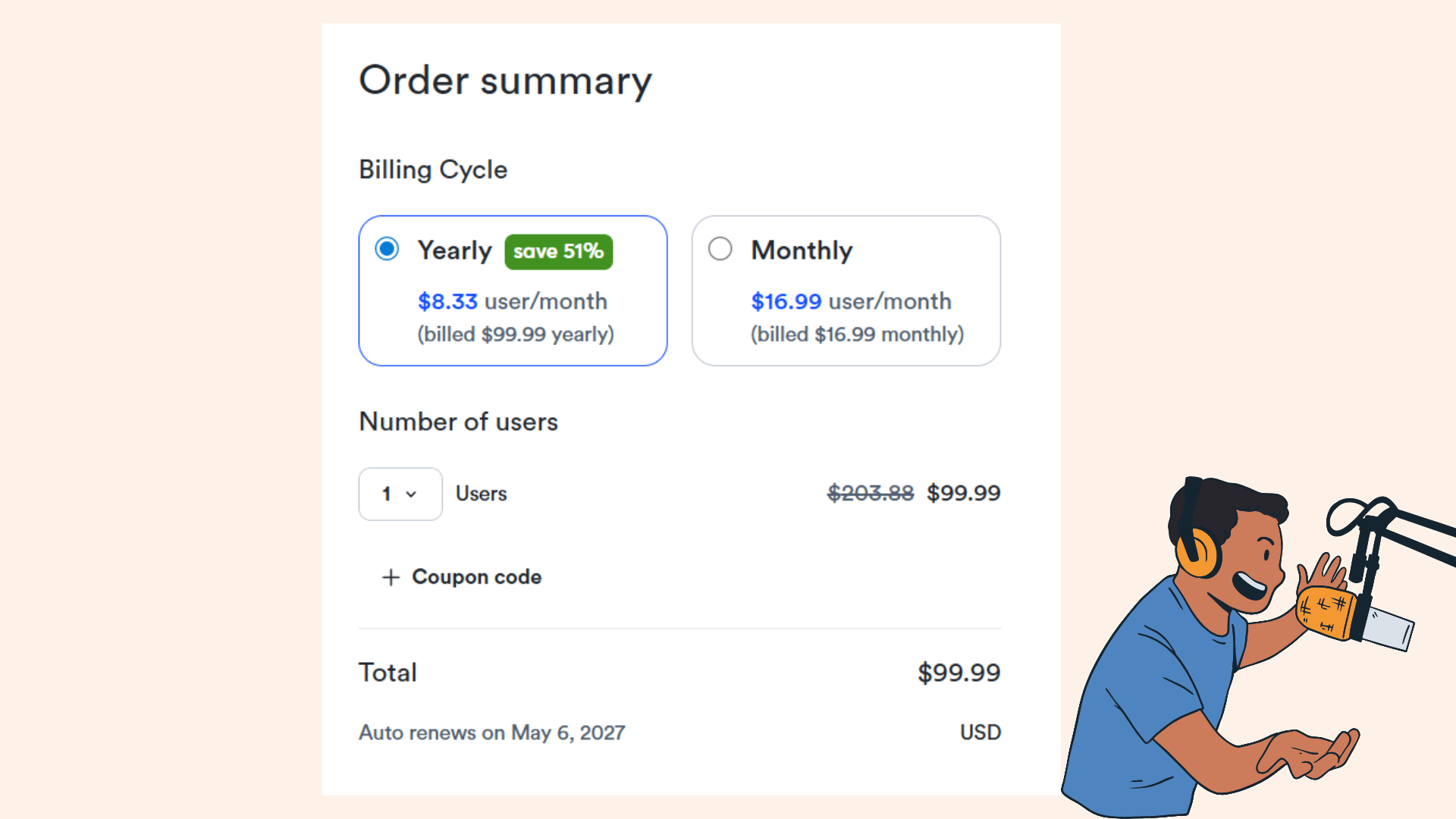
Pro Plan: $16.99 per month (or $8.33 per month with annual billing, saving 51%). 1,200 minutes of transcription per month, 90-minute limit per recording, and 10 file imports per month.
Business Plan: $30 per month (or $20 per month with annual billing, saving 33%). Unlimited transcription minutes, 4-hour limit per recording, and 6,000 minutes of file import quota per month.
For casual users who occasionally need to process long form content, the Basic Plan’s 30-minute per-recording restriction remains overly rigid. Slightly longer interviews or course recordings will hit the paywall directly, severely lacking flexibility. Additionally, third party data reveals hidden costs associated with its paid plans, such as automatic renewal fees and potential charges for training and integrations, further reducing their cost-effectiveness.
Why Decopy AI is the Best Otter.ai Alternative in 2026
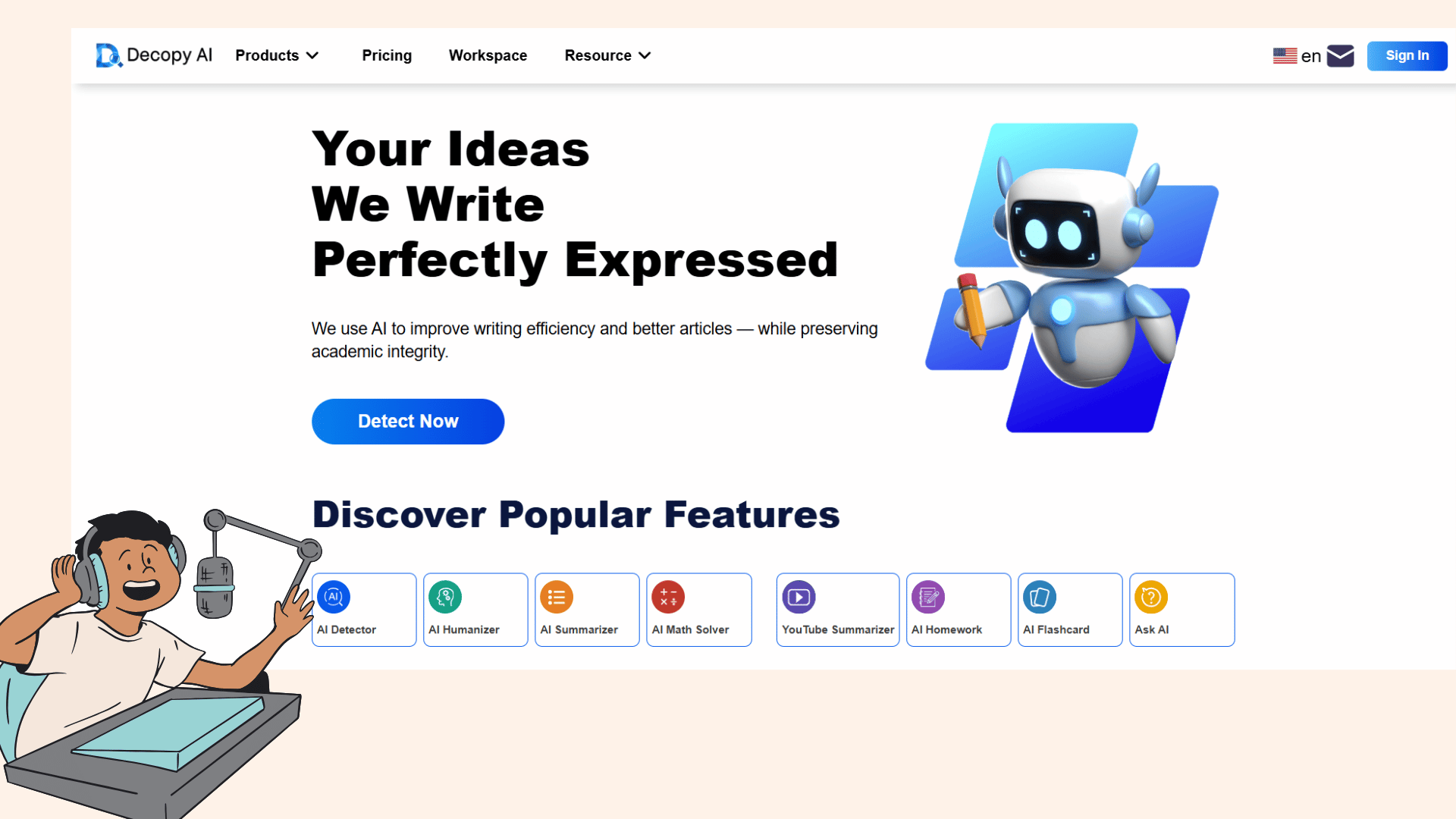
During my one month test of Decopy AI, a leading multilingual transcription tool in 2026, I found it not only perfectly aligns with the industry trends of "full semantic understanding, deep scene adaptation, and knowledge systemization" but also reconstructs the processing logic of multimedia materials based on the real needs of modern professionals.
Full Scene Input: Breaking Format and Source Limits
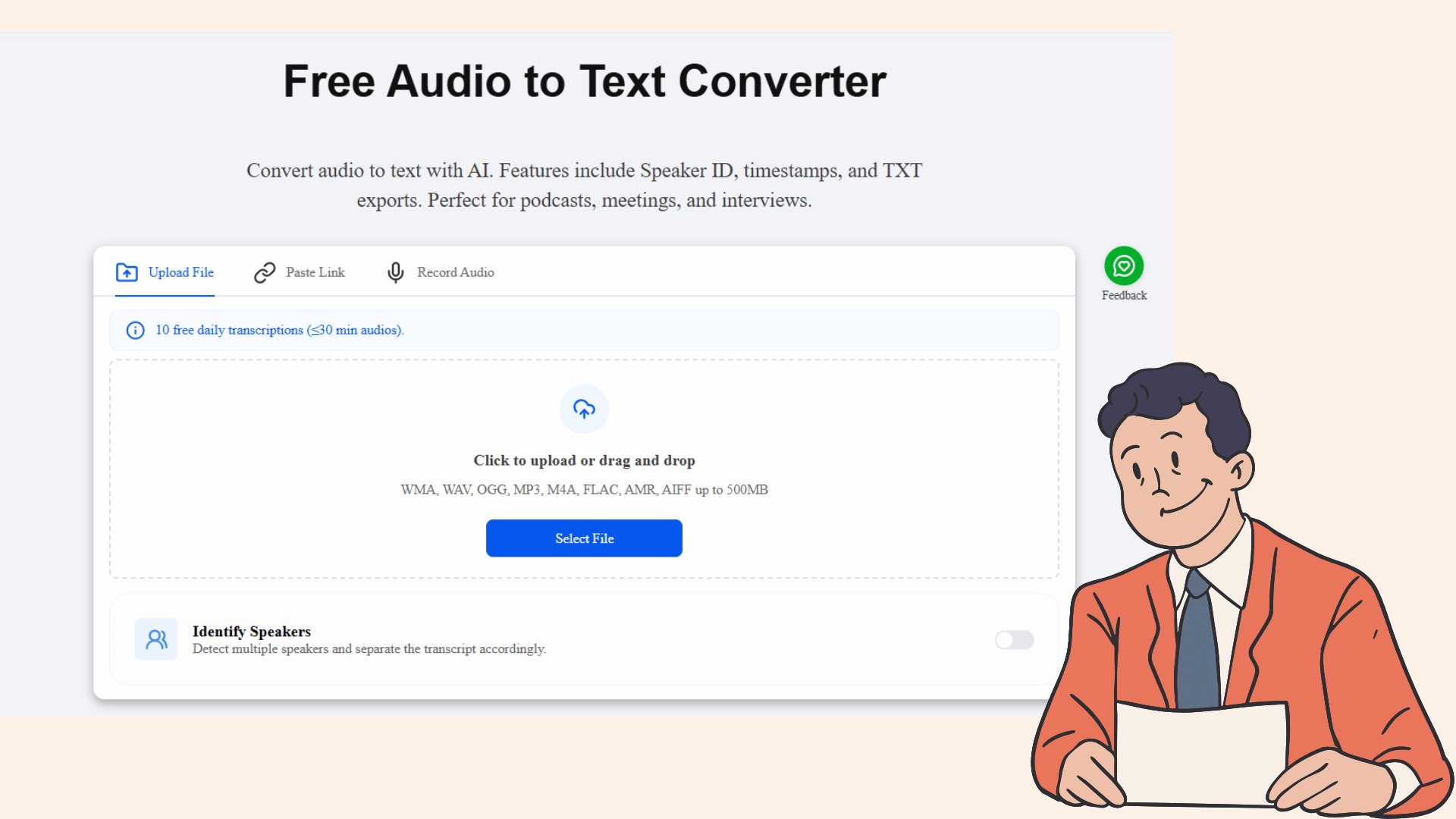
Decopy AI offers three import methods, covering almost all use cases. Local upload supports mainstream formats such as WMA, WAV, MP3, and FLAC, with a maximum single file size of 500MB. I successfully uploaded a 3 hour academic conference recording without any lag.
The Paste Link feature is a "godsend for content creators." Whether it’s YouTube videos, Spotify podcasts, or Coursera courses, you can start transcription by pasting the URL directly, eliminating the hassle of downloading and format conversion.
The real time recording function meets the needs of on-the-spot documentation for offline meetings and interviews. These three methods connect seamlessly, fully meeting the 2026 demand for "free access to full-scene materials."
Multilingual Recognition: Adapting to Global Collaboration
Equipped with advanced multilingual large models, Decopy AI has further optimized its recognition capabilities in 2026. I tested a cross border meeting recording mixed with Chinese, Japanese, English, and Spanish. The Chinese recognition accuracy remained above 97%, with Japanese honorifics, English professional terms, and Spanish daily expressions all accurately captured.
The system also automatically generates timestamps and Speaker ID labels, clearly distinguishing speakers even in alternating multilingual conversations. This comprehensive multilingual support perfectly resolves communication barriers for cross-border teams.
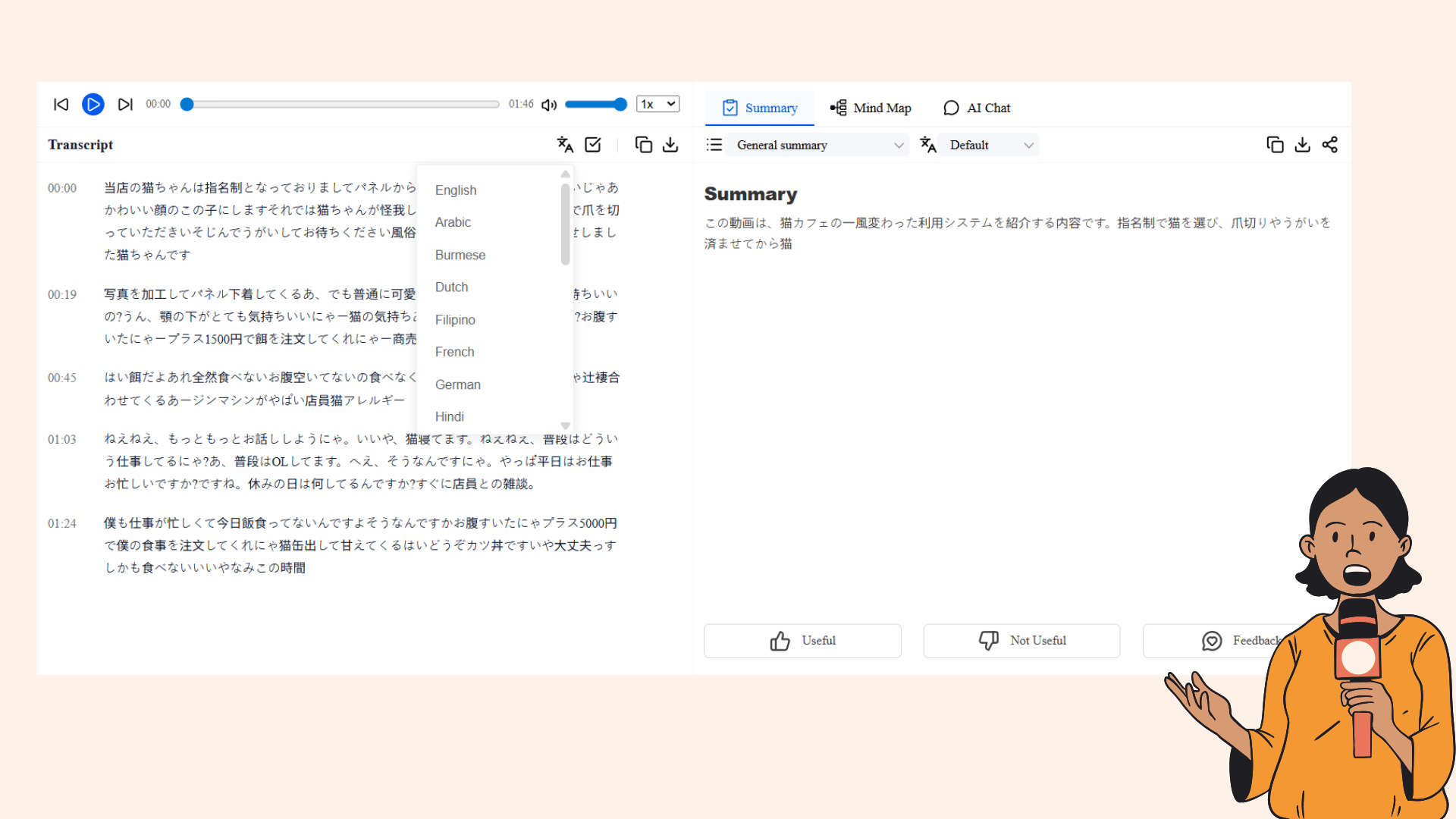
AI Powered Post Processing: From "Recording" to "Knowledge Preservation"
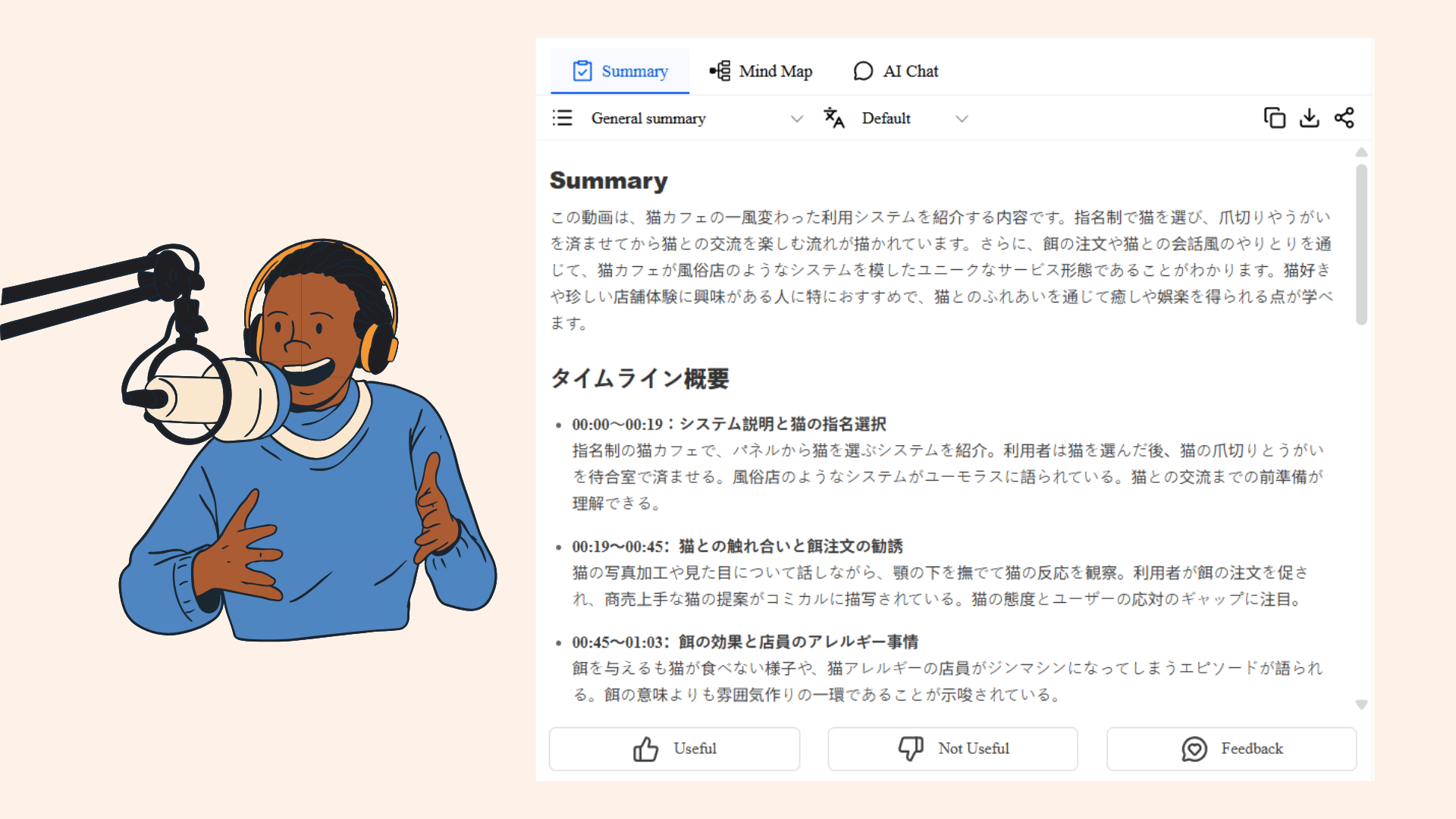
In 2026, the core value of audio to text tools has evolved from "transcription" to "knowledge extraction." Decopy AI precisely meets this trend, after transcription, the right panel can directly generate structured summaries, eliminating the need for manual key point filtering.
The one click mind map function transforms 10,000 word transcripts into intuitive logical frameworks, especially suitable for meeting reviews and study note organization. The most practical feature is AI Chat: directly ask questions like "What are the customer’s core demands in this recording?" or "What are the action items?" and AI will quickly extract answers, even correlating historical materials to build knowledge systems.
This functional design, from "one-time use" to "long-term preservation", fully aligns with the 2026 industry direction of "knowledge assetization."
User Friendly Free: Real Value
In terms of pricing, Decopy AI shows sufficient sincerity. Free users can enjoy 10 transcription opportunities per day, with a maximum of 30 minutes per transcription, equivalent to 300 free minutes daily, no credit card required.
For casual users, this quota fully meets daily needs. Even for heavy users, the pricing of paid plans is much lower than the industry average, with no hidden restrictions, truly achieving "affordable and satisfying use." Compared to Otter.ai’s strict free plan limitations, its flexibility advantage is significant.
Core Feature Comparison: 2026 Selection Made Easy
| Comparison Dimension | Otter.ai | Decopy AI |
|---|---|---|
| Primary Use Cases | English/Japanese online meetings (Zoom/Teams) | Full scenarios (online meetings/podcasts/language learning/interviews/academic research) |
| Language Support | English, Japanese (accuracy needs optimization) | Multilingual (seamless switching between Chinese/Japanese/English/Spanish, etc.), 95%-97% recognition accuracy |
| File Import Methods | Upload (restricted) / On-site recording | Upload (up to 500MB) / Paste URL / On-site recording |
| Unique Features | Auto-join meetings (OtterPilot) | AI-structured summaries, one-click mind maps, AI chat queries, knowledge preservation |
| Free Plan Quota | 300 minutes per month (≤30 minutes per session, many restrictions) | 10 times per day (≤30 minutes per session) |
| Industry Trend Alignment | Partially aligned (deep adaptation to meeting scenarios) | Fully aligned (semantic understanding, scene adaptation, knowledge preservation) |
Final Choice: 2026 Selection Focuses on "Long Term Value"
In 2026, the core of selecting a speech to text tool is no longer "can it transcribe," but "can it create long-term value." Tools should adapt to your workflow, not the other way around.
If you work in a monolingual English/Japanese environment and your core need is to have AI automatically attend and record online meetings, Otter.ai is still a reliable choice. Its deep expertise in meeting scenarios maintains certain advantages in the short term.
However, if your work involves multilingual communication, diverse material sources (local files, web links, offline recordings), and you need to extract knowledge and build systems from recordings, Decopy AI is undoubtedly the better solution.
As a top tier AI powered audio transcription tool in 2026, it not only fills Otter.ai’s functional gaps but also precisely aligns with the industry trends of "full semantic understanding and knowledge systemization." Through features like AI summaries and mind maps, it upgrades "text recording" to "knowledge assets," enabling every audio material to be efficiently converted into usable value.
Conclusion: The Ultimate Value of Tools Is to Let You Focus on What Matters
The essence of speech to text is to free our hands and brains, allowing us to step away from tedious note-taking and focus on communication, thinking, and creation.
Otter.ai once defined the industry standard with its first-mover advantage. But in the face of 2026’s diverse needs and technological trends, its partial iterations still fail to cover comprehensive requirements. Its rigid scene boundaries have gradually left it behind industry development. The emergence of Decopy AI shows us possibilities more in line with 2026 workplace needs: breaking language barriers, supporting all material sources, and empowering knowledge extraction with AI.
It’s not just a transcription tool, but more like a "multimedia material processing workstation," enabling every audio and video to be efficiently converted into structured knowledge. If you’re tired of Otter.ai’s language limitations and payment gimmicks, give Decopy AI a try, no registration or login required. Simply upload a recording or paste a link to experience 10 free transcriptions per day.
In 2026, truly best free speech to text tools never convince you with marketing. They move you with experience and accompany your long-term growth with value.