MP3 vs MP4: Which Format Should You Use?
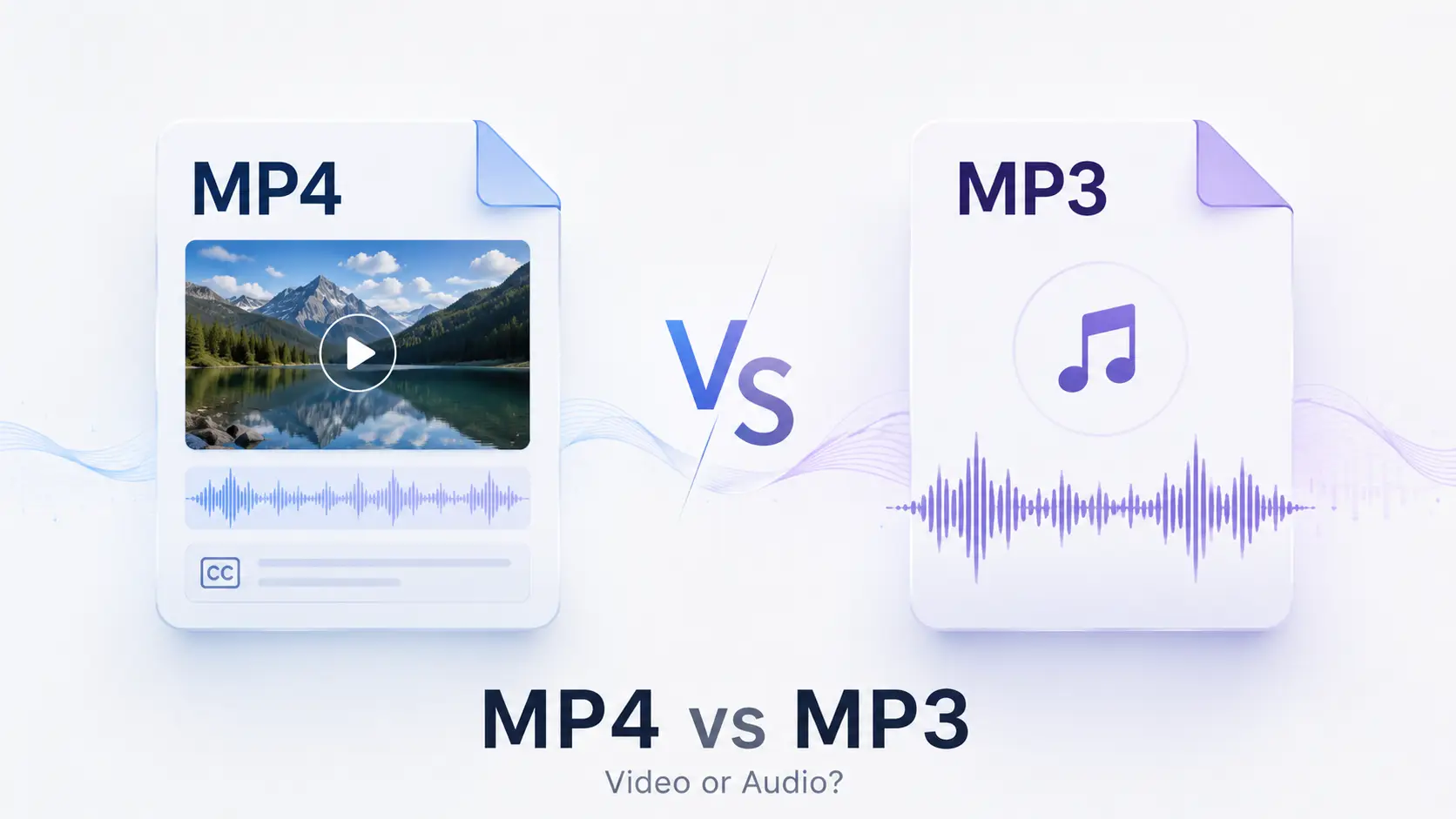
From MP3 and MP4 to containers and codecs, this guide explains the real difference between the two formats and how to choose the right one for different needs.
This guide covers MP3 vs MP4, including format roles, multimedia containers, audio quality, file size, compatibility, and practical format choice.
This guide covers MP3 vs MP4, including format roles, multimedia containers, audio quality, file size, compatibility, and practical format choice.
Here’s what happened.
A few days ago, I was talking with a friend about video files, audio playback, and format compatibility. In the middle of the conversation, he suddenly asked me a question.
“Is MP4 simply the newer and better version of MP3?”
I paused for a moment.
It sounds reasonable. The names are almost identical. MP3 has a three, MP4 has a four, so MP4 must be the next step in the same sequence.
But that is not how these formats work.
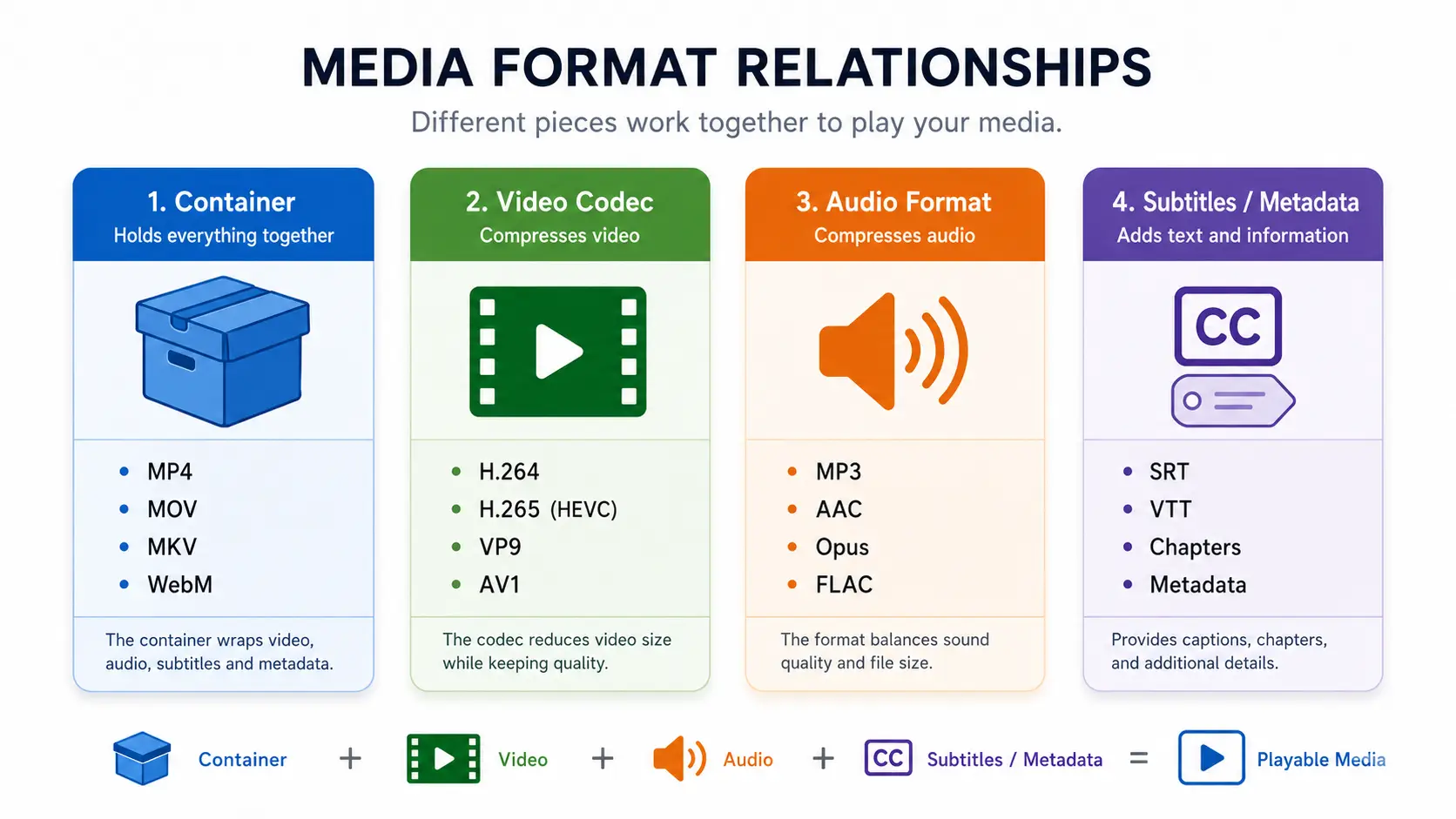
MP4 and MP3 belong to the same broad world of digital media, yet they solve different problems. MP4 is commonly used as a container for video, audio, subtitles, and other media data. MP3 is designed for compressed audio.
That one distinction explains most of the difference between MP4 and MP3. A useful MP4 vs MP3 comparison therefore needs to look beyond the file extension and consider content type, quality, file size, compatibility, and the task each format is meant to handle. It also explains why comparing them only by file size or sound quality can be misleading.
🔍 Explore This Guide: Jump to What You Need
- MP3 vs MP4 at a Glance
- Why MP4 Is Not the Next Version of MP3
- MP4 Is a Container, Not a Video Codec
- MP3 Is Built for Compressed Audio
- The Main Differences Between MP4 and MP3
- Should You Choose MP4 or MP3?
- Is One Format Better?
- Can an MP4 Contain Only Audio?
- Does Converting MP4 to MP3 Reduce Quality?
- How to Convert MP4 to MP3 Online
- Frequently Asked Questions
- Final Thoughts
MP3 vs MP4 at a Glance
Here is the quick answer before we go deeper.
| Comparison | MP4 | MP3 |
|---|---|---|
| Format role | Multimedia container | Compressed audio format |
| Content | Video, audio, subtitles, metadata | Audio |
| Visual content | Can contain video | Cannot contain video |
| Common uses | Videos, recordings, presentations | Music, speech, podcasts |
| File size | Often larger when video is included | Usually smaller for audio-only use |
| Audio quality | Depends on the audio codec and settings | Depends on bitrate, encoder, and source quality |
| Best choice | When the visual track matters | When you only need sound |
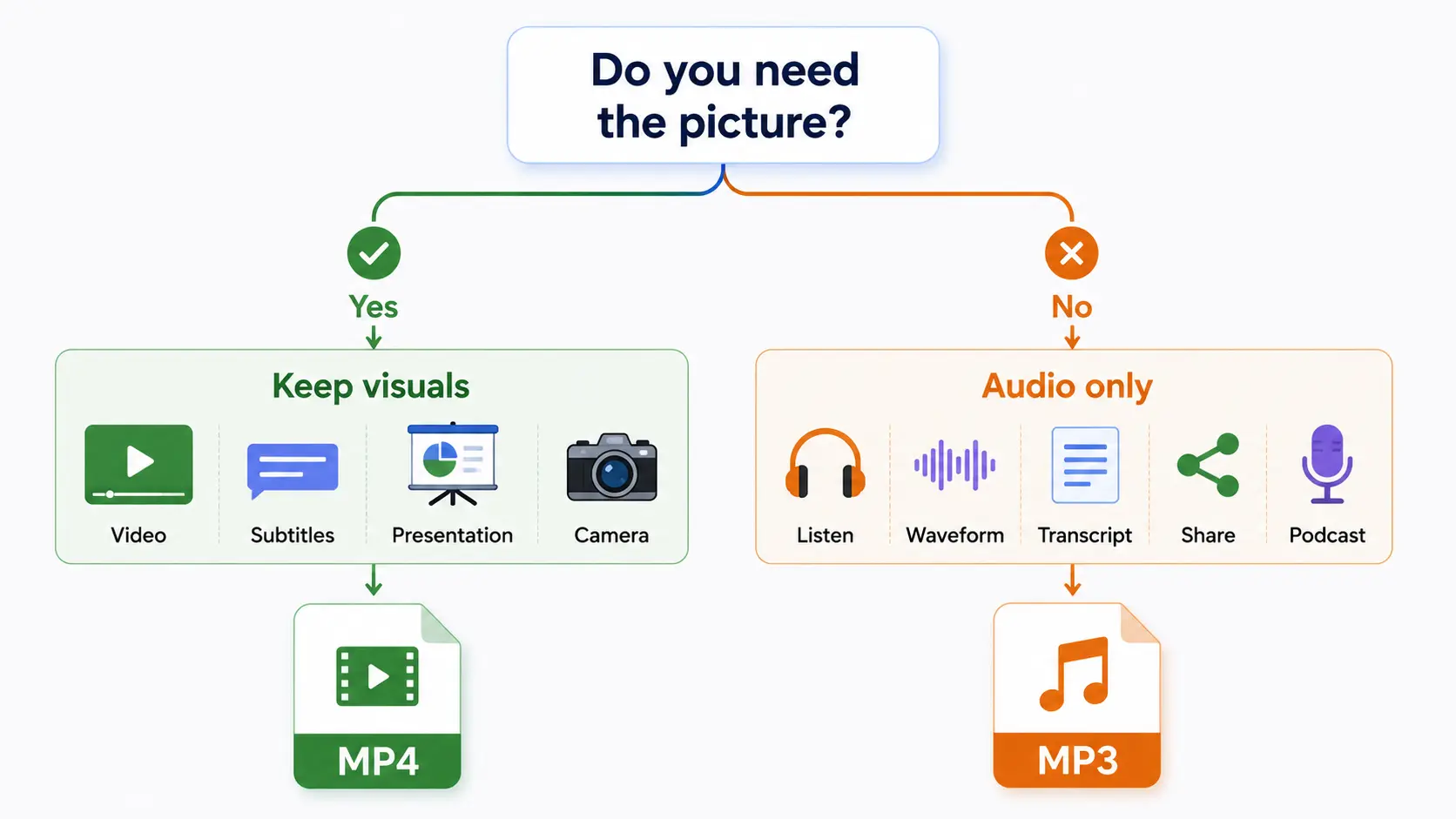
The simplest way to choose is this:
Choose MP4 when you need the picture. Choose MP3 when you only need the sound.
That answer works in most everyday situations, but the reason behind it is worth understanding.
Why MP4 Is Not the Next Version of MP3
The numbers in MP3 and MP4 are easy to misread as software version numbers.
They are not.
MP3 is short for MPEG-1 Audio Layer III. It belongs to the audio-coding work developed under the MPEG standards. MP4 usually refers to the MPEG-4 Part 14 file format, which is derived from the ISO Base Media File Format.
In other words, MP4 did not arrive as a direct replacement for MP3.
MP3 answers a question about sound:
How can audio be compressed into a smaller, widely playable form?
MP4 answers a different question:
How can different media tracks and related information be organized inside one file?
Their similar names reflect their connection to MPEG standards, not a simple old-version versus new-version relationship.
MP4 Is a Container, Not a Video Codec
Think of an MP4 file as a box.
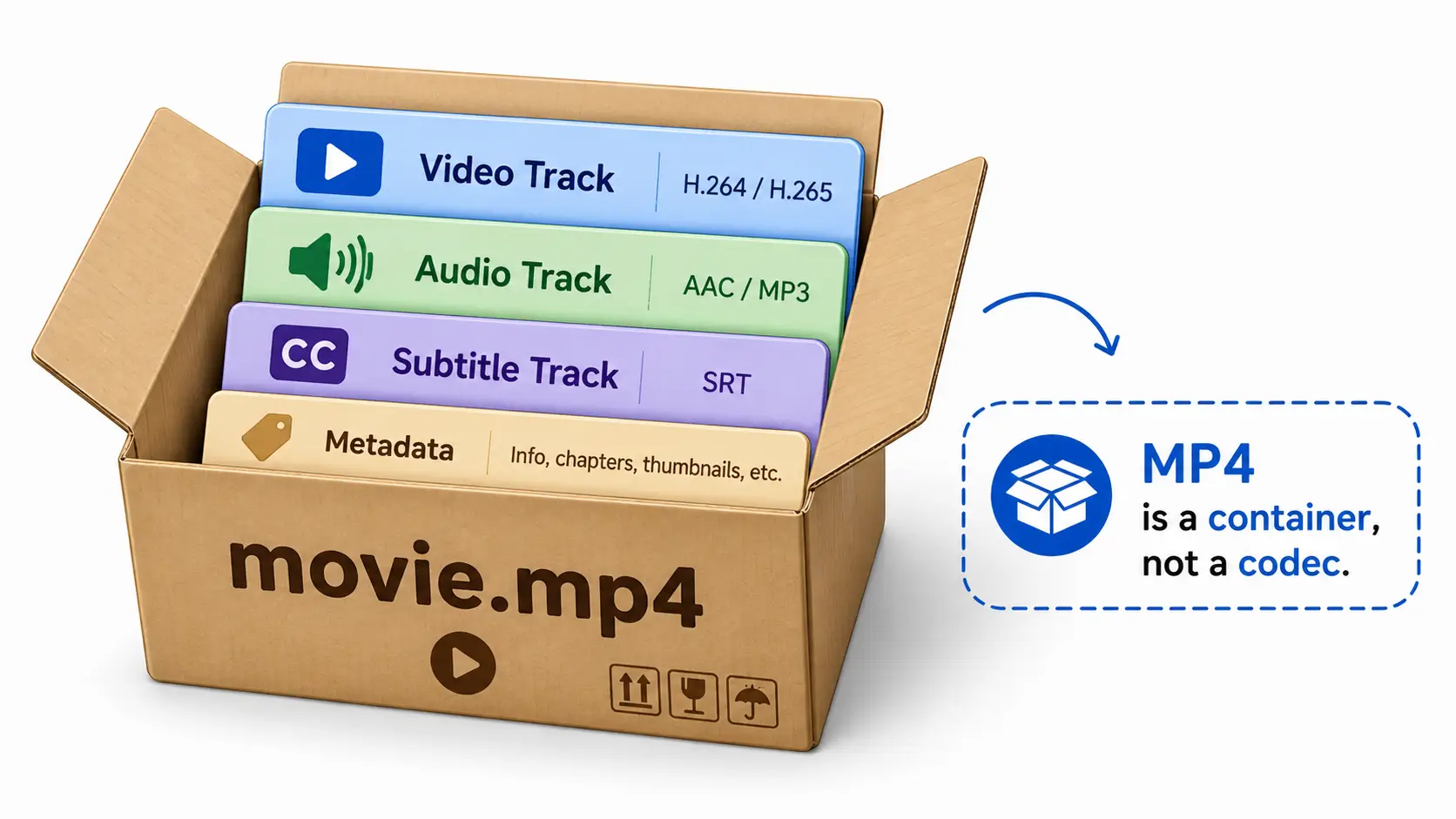
The box may contain several separate parts:
movie.mp4
├── Video track
├── Audio track
├── Subtitles
├── Timing information
└── Metadata
The MP4 format organizes these parts so that a player knows what to read, when to display each video frame, and when to play each section of audio.
The actual video inside the file may be encoded using H.264, H.265, or another compatible codec. The audio may use AAC or another supported audio format. The .mp4 extension identifies the container, but it does not tell you everything about the media stored inside it. MP4 is based on the ISO Base Media File Format, and compatible coded video streams such as AVC can be stored within this container family.
This is why two files can both end in .mp4 but behave differently.
One may work on an older television, while another may not. The problem is not necessarily the MP4 container itself. The device may understand the box but lack support for the codec used by the video or audio track inside it.
The filename tells you what kind of box you have. It does not fully describe what is packed inside.
This distinction matters in an MP4 vs MP3 comparison because the MP4 extension describes a container, while MP3 describes an audio coding format.
MP3 Is Built for Compressed Audio
MP3 has a narrower job.
It is a perceptual audio coding format intended for storing and transmitting audio. Instead of organizing video, subtitles, and multiple media tracks, it focuses on compressing sound. MP3 is MPEG-1 Layer III, a perceptual audio coding format commonly used for mono or stereo music, speech, and other audio signals.
MP3 compression is lossy.
That means the decoded audio is not a bit-for-bit copy of the original uncompressed recording. The encoder removes or simplifies some information to reduce the size of the file, using principles related to how people perceive sound.
The trade-off is familiar:
- Smaller files
- Easier storage and transfer
- Broad playback compatibility
- Some information removed during compression
This made MP3 especially practical for music libraries, portable players, internet distribution, spoken recordings, and podcasts.
MP3 is not the only audio option available today. AAC, Opus, and FLAC serve different needs. But MP3 remains useful because it is simple, familiar, and widely supported.
In an MP3 vs MP4 comparison, this narrower audio-only role is one of MP3’s main practical advantages.
MP3 vs MP4: The Main Differences
Media Type
The clearest difference between MP4 and MP3 is the kind of content they are designed to handle.
MP4 is a general multimedia container. It can organize time-based media such as video and audio, along with subtitles and related information.
MP3 is audio-focused. It does not contain a video track.
This means the two formats are not always direct competitors. A video creator may need MP4, while someone listening to the same recording without the picture may prefer MP3. The most useful MP4 vs MP3 decision starts with the type of media the user actually needs.
MP4 vs MP3 File Size
An MP3 file is usually smaller than an MP4 video of the same duration.
The reason is not that MP3 has a lower number or that MP4 is automatically inefficient. The MP4 video contains visual information in addition to sound. Even heavily compressed video requires data for frames, movement, resolution, and color.
But file size cannot be predicted from the extension alone.
An MP4 file’s size can depend on:
- Video resolution
- Frame rate
- Video bitrate
- Audio bitrate
- Duration
- Video and audio codecs
- Number of tracks
An MP3 file’s size is mainly influenced by duration, bitrate, channel configuration, and encoding settings.
So the safe conclusion is:
An audio-only MP3 will normally be smaller than an MP4 video containing the same recording, but the exact difference depends on how both files were encoded.
MP3 vs MP4 Quality
This is where many comparisons become too simple.
MP4 does not have one fixed level of audio quality. It is a container, so its sound quality depends on the audio track stored inside it.
An MP4 video may contain high-bitrate AAC audio. Another MP4 may contain heavily compressed, low-quality sound. Both files still use the .mp4 extension.
MP3 quality also varies. A well-encoded MP3 created from a clean source can sound good for ordinary listening, while a low-bitrate MP3 or a file that has been repeatedly converted may contain noticeable artifacts.
So asking whether MP4 has better sound than MP3 is a little like asking whether a suitcase has better clothes than a backpack.
You need to know what is inside.
A more useful comparison looks at:
- Source recording quality
- Audio codec
- Bitrate
- Encoder quality
- Number of previous conversions
The extension alone is not enough.
Compatibility and Playback
MP3 is widely supported by phones, computers, car audio systems, music players, editing applications, and other audio devices. Its broad compatibility is one reason it remains practical for music, speech, podcasts, and everyday audio sharing.
MP4 is also broadly supported, but playback depends on more than the container.
A device must understand both the MP4 structure and the codecs used by the tracks inside it. A player may support an H.264 MP4 but fail with another MP4 that uses a codec the device cannot decode.
This is why changing a file extension does not solve a codec compatibility problem. In terms of MP4 vs MP3 compatibility, both formats are widely supported, but MP4 playback also depends on the codecs stored inside the container.
Renaming video.mp4 to another extension does not change the encoded media inside the file.
MP4 or MP3: Let the Task Decide
There is no universal winner in the MP3 vs MP4 comparison.
The better format depends on what you are trying to do.
| Your Task | Better Choice | Reason |
|---|---|---|
| Watch or share a video | MP4 | Keeps video and audio together |
| Upload a presentation recording | MP4 | Preserves slides and narration |
| Edit video footage | MP4 | Retains the visual track |
| Save a music video | MP4 | Keeps the performance visuals |
| Listen to a lecture off-screen | MP3 | Removes unnecessary video data |
| Save an interview as audio | MP3 | Easier to review and organize |
| Add a recording to an audio library | MP3 | Better suited to audio playback |
| Prepare spoken content for transcription | MP3 | Provides an audio-only source |
| Share sound without sending the video | MP3 | Usually smaller and more direct |
This is a more useful way to think about format choice.
When the MP3 vs MP4 Choice Becomes a Conversion Task
An MP3 vs MP4 comparison often starts after the video already exists. You may have a lecture, interview, presentation, voiceover, or recorded meeting saved as MP4, but later realize that the picture no longer adds anything useful.
At that point, the format decision becomes practical rather than technical. Keeping the MP4 makes sense when you still need the visuals, subtitles, or editing timeline. Converting to MP3 makes sense when the recording will mainly be listened to, shared as audio, reviewed, or sent into a transcription workflow.
The conversion does not make the original recording better, and it does not need to replace the source video. It simply creates a separate audio-only copy. This can make the recording easier to store, play in music apps, organize with other audio files, or share without the visual track.
In other words, the choice often comes down to whether the picture still has a job to do.
Do not begin with the question, “Which format is more advanced?”
Begin with, “Do I still need the picture?”
Is One Format Better?
In an MP3 vs MP4 comparison, the better option depends on what you need from the file. MP4 is not always better than MP3, and MP3 is not always better than MP4.
MP4 is the better option when the video, subtitles, or other media tracks matter. MP3 is more practical when sound is the only part you need.
The number four does not make MP4 a higher-quality version of MP3. They are different tools for different media tasks.
This is a pattern that appears throughout digital media.
A format can be newer, more efficient, or more technically sophisticated and still be the wrong choice for a particular device or workflow. Compatibility, file size, editing needs, and playback environment often matter more than the name of the standard.
Can an MP4 Contain Only Audio?
Yes. The MP4 file format can store audio, video, or both, depending on the tracks contained in the file. It does not require every MP4 to include a video track.
However, most people encounter .mp4 files as videos, so an MP4 is usually treated as a video file in everyday use.
The important point is that MP4 describes the container. The tracks inside determine whether the file actually has video, audio, or both. This is another reason an MP4 vs MP3 comparison should focus on what the file contains, not only on its extension.
Does Converting MP4 to MP3 Reduce Quality?
It can.
When you convert audio from an MP4 file to MP3, the original audio track may need to be decoded and encoded again. When comparing MP4 vs MP3, remember that conversion creates a more convenient audio-only file. It does not upgrade the original sound.
If the source audio is already compressed with a lossy codec, converting it to another lossy format can remove more information. The difference may be difficult to notice in casual listening, but it can become clearer after repeated conversions or when using low-quality output settings.
A few practical rules help:
- Start with the original MP4 when possible
- Avoid repeatedly converting the same audio
- Do not assume a higher bitrate can restore lost information
- Use appropriate output settings for the source material
- Keep the original file when future editing may be required
Keep the Original MP4 Before Converting
One useful rule in any MP4 vs MP3 workflow is to keep the original source file. The converted MP3 is a convenient listening copy, not a replacement for the video.
Keeping the MP4 matters when you may need the picture later, want to edit the recording again, or need access to the original audio track. It also gives you a clean source if you decide to create another MP3 with different settings. Repeatedly converting an already compressed file can introduce more quality loss, while returning to the original MP4 gives the encoder a better starting point.
The safest workflow is therefore simple: preserve the source video, create the MP3 as a separate file, and use each format for the task it handles best.
MP3 perceptual encoding is designed to reduce file size while keeping the result close to the original for listening, but it does not preserve every bit of the source audio.
How to Convert MP4 to MP3 Online
Once the MP4 vs MP3 choice is clear and you only need the sound, the next step is straightforward. An online converter can create a separate MP3 while leaving the original MP4 unchanged.
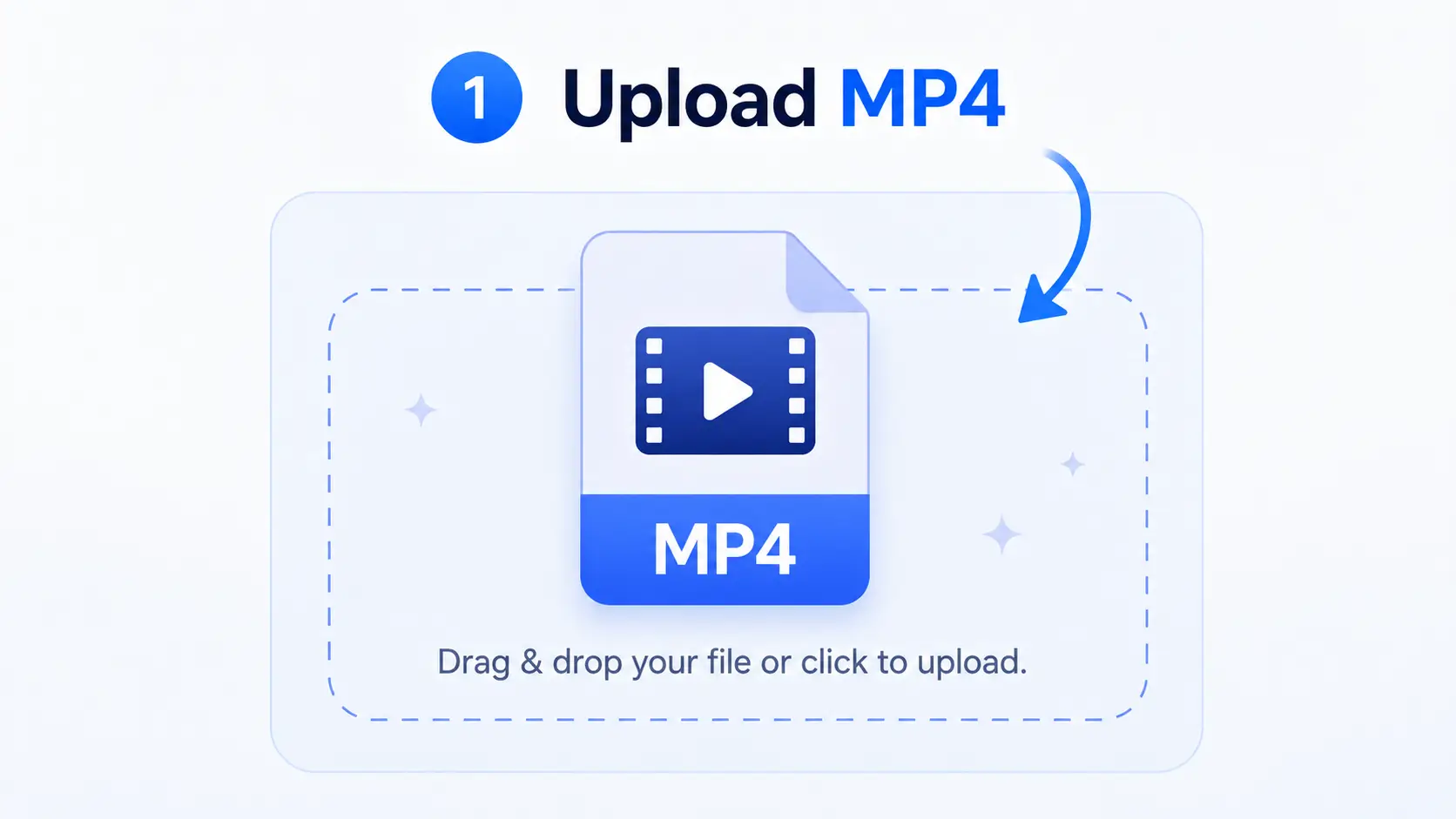
1. Upload the Original MP4
Open the free MP4 to MP3 converter and select the video you want to process. Decopy supports one MP4 file at a time, with a maximum file size of 4GB. Starting with the original file is preferable because it avoids adding another generation of compression before the MP3 is created.
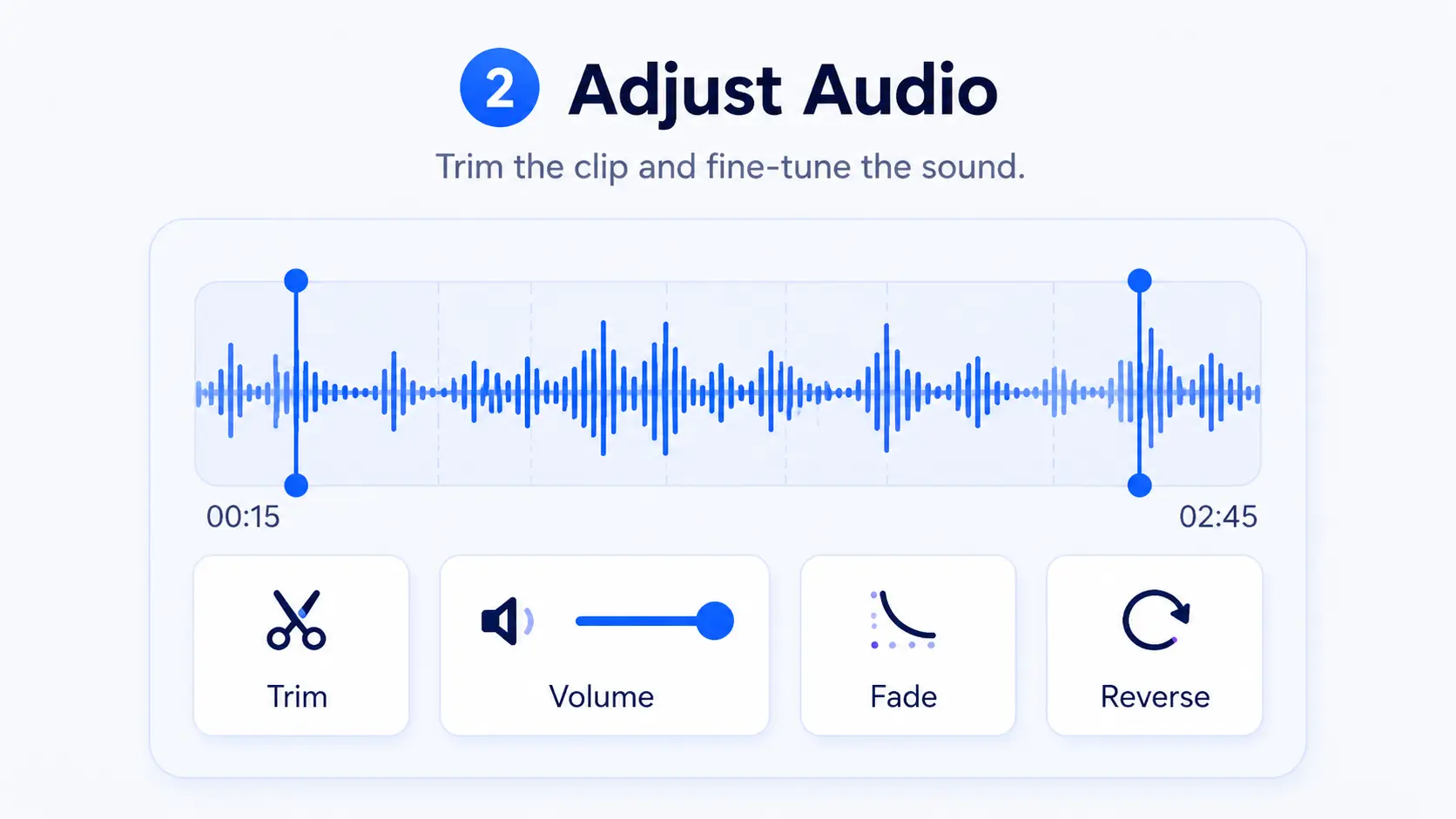
2. Review the Audio Settings
MP3 is selected as the default output format. Before starting the conversion, you can adjust the volume, trim sections you do not need, add fade-in or fade-out effects, or reverse the audio when the task calls for it.
These controls are useful when the video contains a long silent opening, an unnecessary ending, or uneven sound. They do not change the basic MP4 vs MP3 difference. They simply help prepare the audio-only copy for the way you plan to use it.
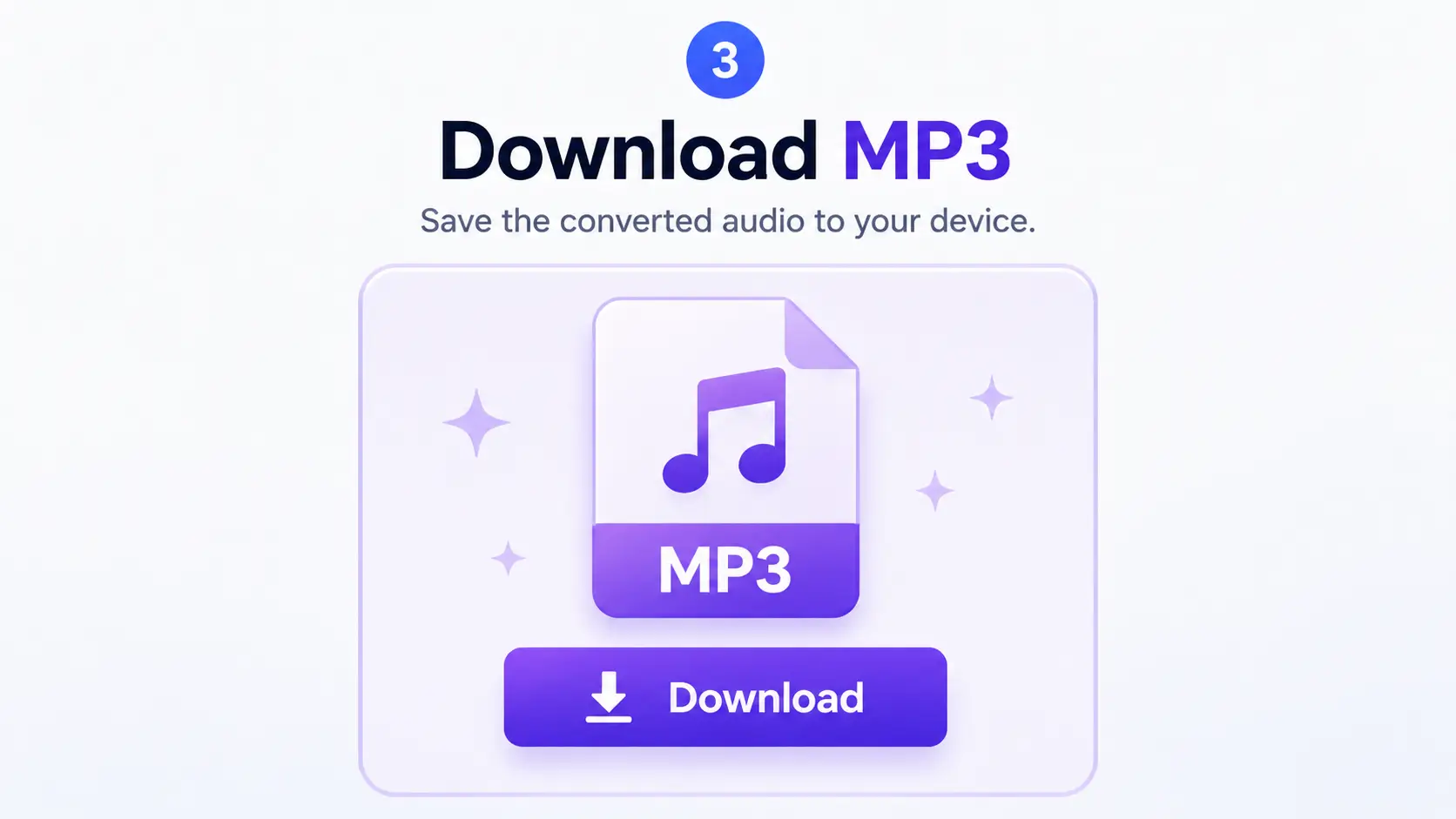
3. Convert and Download the MP3
Start the conversion and download the finished MP3 when it is ready. You do not need to sign up to convert or download, and the exported audio does not include a watermark. The tool supports up to 100 separate conversions per day.
Users who sign in can return to files in Recent Uploads for up to 30 days, move files to All Assets or folders for longer storage, or delete them manually. These asset features are optional and are not required for a basic conversion.
The result is a separate MP3 that can be used for off-screen listening, interview review, voiceover reuse, sharing, or transcription. The original MP4 remains available whenever the visual track is still needed.
Frequently Asked Questions
What is the main difference between MP4 and MP3?
MP4 is a multimedia container that can hold video, audio, subtitles, and metadata. MP3 is a compressed audio format that contains sound but not video.
Is MP4 the newer version of MP3?
No. Their similar names come from MPEG standards, but MP4 is not simply an upgraded version of MP3. They have different structures and purposes.
Is MP4 an audio or video format?
MP4 is a multimedia container. It can hold video and audio together, and it can also carry other information such as subtitles and metadata.
Is MP4 a container or a codec?
MP4 is a container format. Codecs such as H.264 may be used to encode the video stored inside an MP4 file.
Does MP4 always use H.264?
No. H.264 is common in MP4 files, but MP4 can store media encoded with different compatible codecs. The .mp4 extension alone does not identify the video codec.
Which is smaller, MP4 or MP3?
An MP3 is usually smaller than an MP4 video of the same duration because the MP3 contains audio only. Actual size still depends on duration, bitrate, resolution, codecs, and encoding settings.
Is MP4 better quality than MP3?
Not automatically. MP4 audio quality depends on the audio codec and settings inside the container. MP3 quality depends on the source, bitrate, and encoder.
Should I use MP4 or MP3 for music?
Use MP3 when you only need music or other audio and want broad playback compatibility. Use MP4 when the music is part of a video or needs to remain synchronized with visual content.
When should I convert MP4 to MP3?
Convert MP4 to MP3 when you no longer need the visual track and want an audio-only copy for listening, sharing, transcription, interview review, or voiceover reuse. Keep the original MP4 when the picture, subtitles, or editing information may still be useful.
Can I convert MP4 to MP3 online without signing up?
Yes. Decopy lets you extract audio from an MP4 video by uploading one MP4 file up to 4GB, converting it, and downloading the MP3 without creating an account. Sign-in is only needed for asset features such as Recent Uploads, All Assets, and folders.
Final Thoughts
The easiest mistake is to treat MP4 and MP3 like two versions of the same format.
They are not.
MP4 is the box. MP3 is a way of encoding sound.
Once that distinction is clear, the rest becomes much easier. The most useful MP4 vs MP3 decision is not about which number is higher, but about whether the visual track still matters. File size, quality, playback, and compatibility are no longer determined by the extension alone. They depend on what the file contains, how the media was encoded, and where you plan to use it.
So when choosing between MP4 and MP3, do not start by asking which one is better.
Ask a simpler question:
Do I need the video, or do I only need the audio?
The best format is not the newest one. It is the one that fits the task.